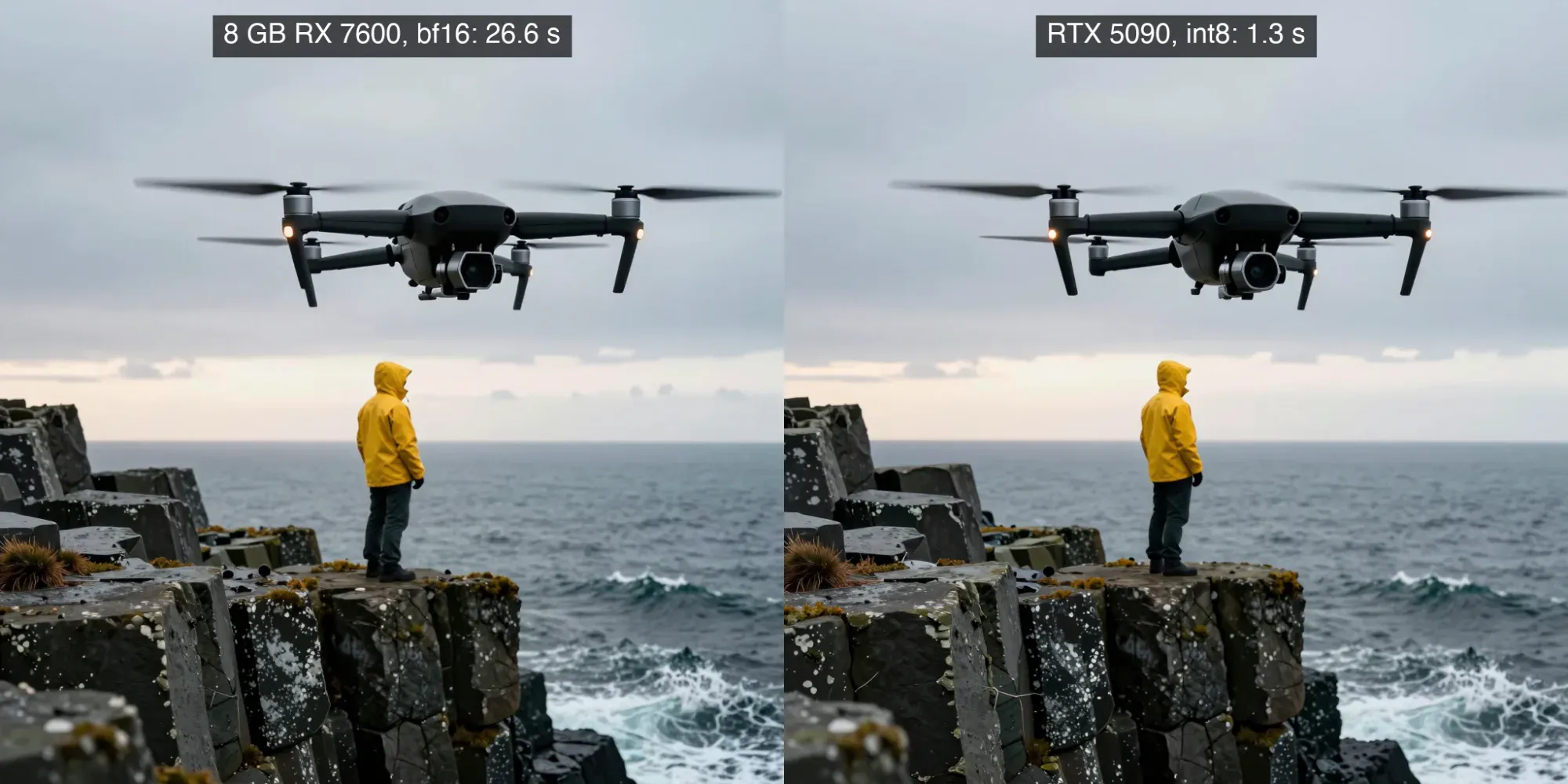
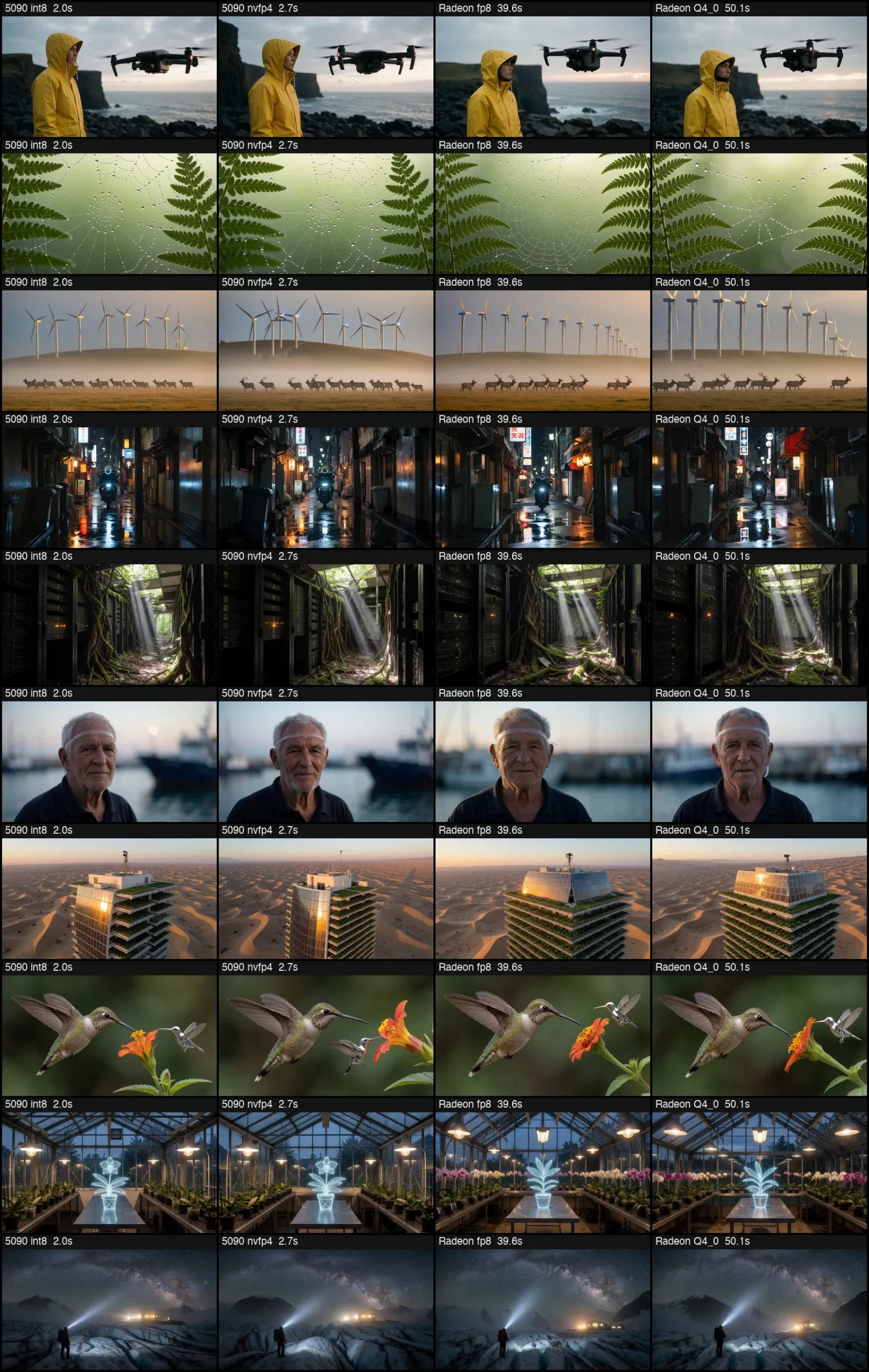
The same ten photographic prompts, the same ComfyUI graphs and the same seeds, on an 8 GB Radeon RX 7600 and an RTX 5090, with Z-Image Turbo and Krea 2 Turbo. Both cards made clean photoreal images on every prompt. The 5090 took 1.3 and 2.0 seconds per image, the Radeon 27 and 40. The 5090 is 20x faster and uses 5 to 6x less energy per image, despite drawing three times the power.
The two boxes
- Radeon box: used desktop, RX 7600 8 GB (147 W cap), 128 GB DDR5, Ubuntu, ComfyUI 0.41.0. Models that do not fit in VRAM spill into system RAM.
- 5090 box: RTX 5090 32 GB, ComfyUI 0.33.1, drawing 400 to 500 W while generating.
Each box ran its best model format: int8 and nvfp4 on the 5090 (CUDA only), bf16, fp8 and GGUF on the Radeon. Graphs, seeds, prompts and settings were identical: batch 1, empty negative, no LoRA.
Install ComfyUI on the Radeon
No system ROCm install. AMD publishes PyTorch wheels per GPU architecture with the ROCm userspace bundled, so a venv is enough. You need the stock amdgpu driver, your user in the render and video groups, and Python 3.14.
python3 -m venv venv && . venv/bin/activate
pip install --index-url https://stable.repo.amd.com/rocm/whl-next/ \
  "torch[device-gfx1102]==2.14.0+rocm10.1.0" \
  "torchvision[device-gfx1102]==0.29.0a0+rocm10.1.0" \
  "torchaudio==2.11.0.3+rocm10.1.0"
gfx1102 is the RX 7600 (gfx1100 is the 7900 series, gfx1101 the 7700 XT and 7800 XT). No HSA_OVERRIDE_GFX_VERSION needed. Check that torch.cuda.is_available() is True; a bf16 matmul gave about 18 TFLOPS.
Then ComfyUI, with torch and torchvision removed from its requirements so pip keeps the AMD build (keep torchsde):
git clone https://github.com/Comfy-Org/ComfyUI && cd ComfyUI
pip install -r req.txt   # requirements.txt minus the torch and torchvision lines
git clone https://github.com/molbal/ComfyUI-GGUF custom_nodes/ComfyUI-GGUF
pip install -r custom_nodes/ComfyUI-GGUF/requirements.txt
python main.py --offline --disable-metadata --use-pytorch-cross-attention- If the first run fails with
Python.h: No such file or directory, installpython3.14-dev. - No
--lowvramneeded; ComfyUI offloaded a 12 GB model on the 8 GB card on its own.
The biggest file was the fastest
Z-Image Turbo (6B, 1024x1024) and Krea 2 Turbo (about 13B, 1280x720) both make a photoreal image in 8 steps at CFG 1, which is what makes a slow card usable.
I expected the smaller quants to win, since Q4 fits in VRAM. Warm seconds per image on the Radeon:
- Z-Image: bf16 (12.3 GB) 26.6, Q8_0 31.3, Q4_K 31.6.
- Krea 2: fp8_scaled (13.1 GB) 39.6, GGUF Q4_0 50.1.
The card is compute-bound. Each 1024x1024 step takes about 2.6 s, so streaming the overflow of a 12 GB file over PCIe costs little, while GGUF dequantization adds work to every layer. RDNA3 has no fp8 math either; fp8 is only a storage format here.
Quality follows the same order. bf16 and Q8_0 are near identical at 100 percent. Q4_K changes compositions on some prompts.
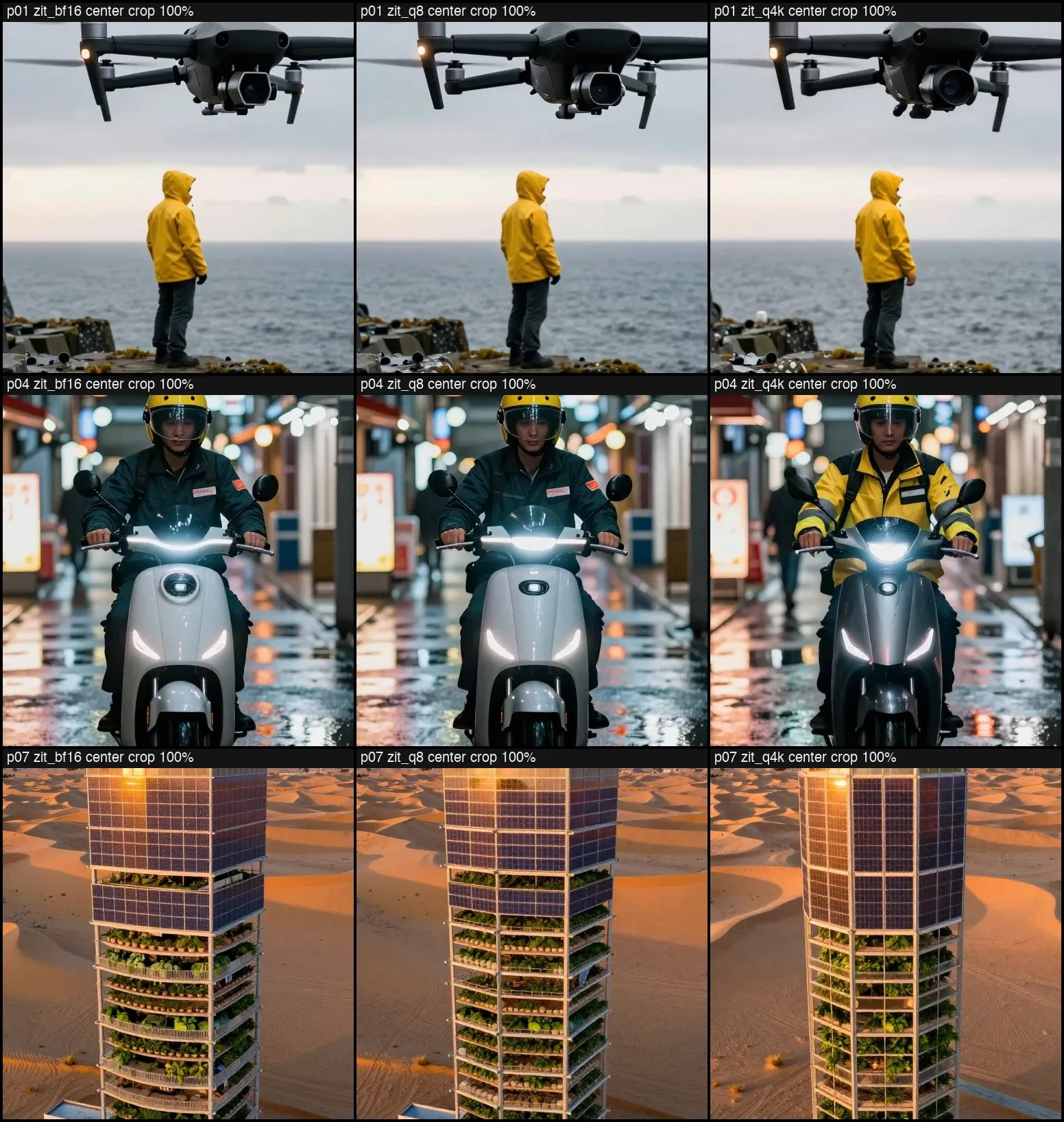
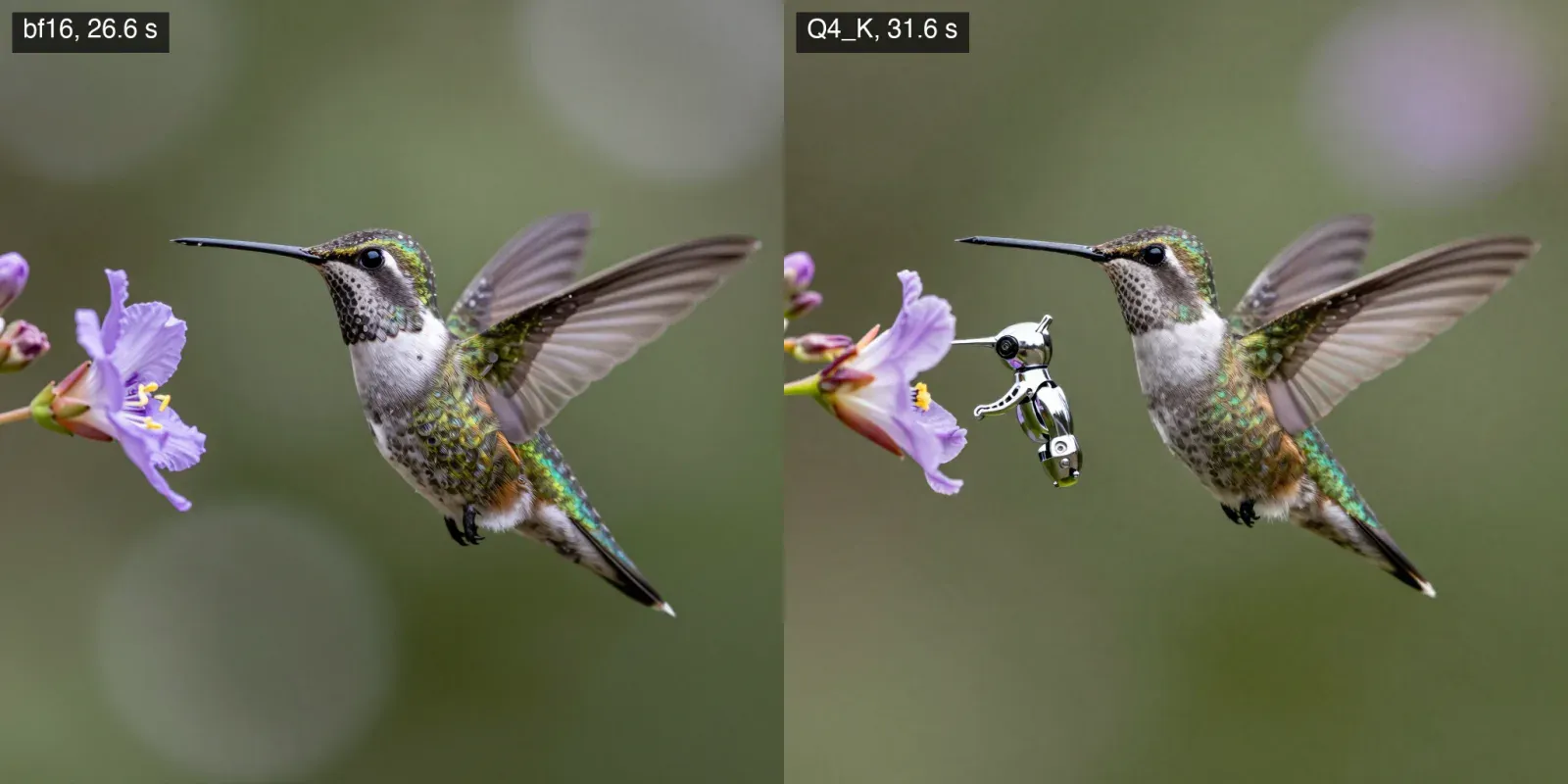
Use bf16 for Z-Image and fp8_scaled for Krea 2. Peak system RAM was about 10 GB with the OS, so 16 GB of RAM should be enough. Q8_0 if you have less.
Results
Ten prompts, seeds 770001 to 770010. Warm is the median of images 2 to 10.
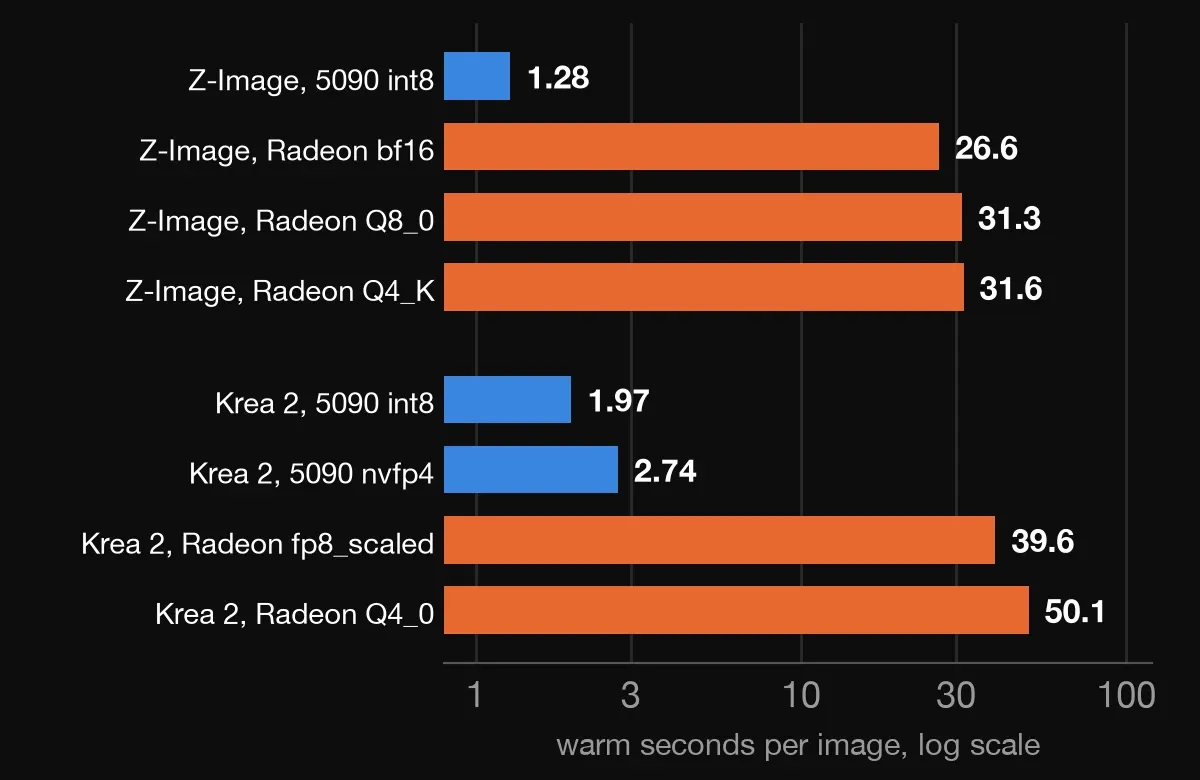
- Z-Image, 1024x1024: 5090 1.28 s, Radeon 26.6 s. 21x.
- Krea 2, 1280x720: 5090 1.97 s (int8), Radeon 39.6 s (fp8_scaled). 20x.
- The Radeon ran with VRAM full (8.3 of 8.6 GB); the 5090 used 14.5 to 20 GB of 32.
On quality, Z-Image gives nearly the same photograph from the same seed on both cards; the differences are in wave foam and a hand position. Krea 2 draws a different photo per format from the same seed, and all of them look like photographs.
One Flux.2 dev image
Flux.2 dev is a 32B-class model: on the Radeon, the Q4_K_S GGUF (19.3 GB) plus the Mistral text encoder in fp8 (18 GB), 1024x1024, 20 steps. One image took 393 seconds and 18.6 GB of system RAM. In that time the 5090 makes about 200 Krea 2 images.
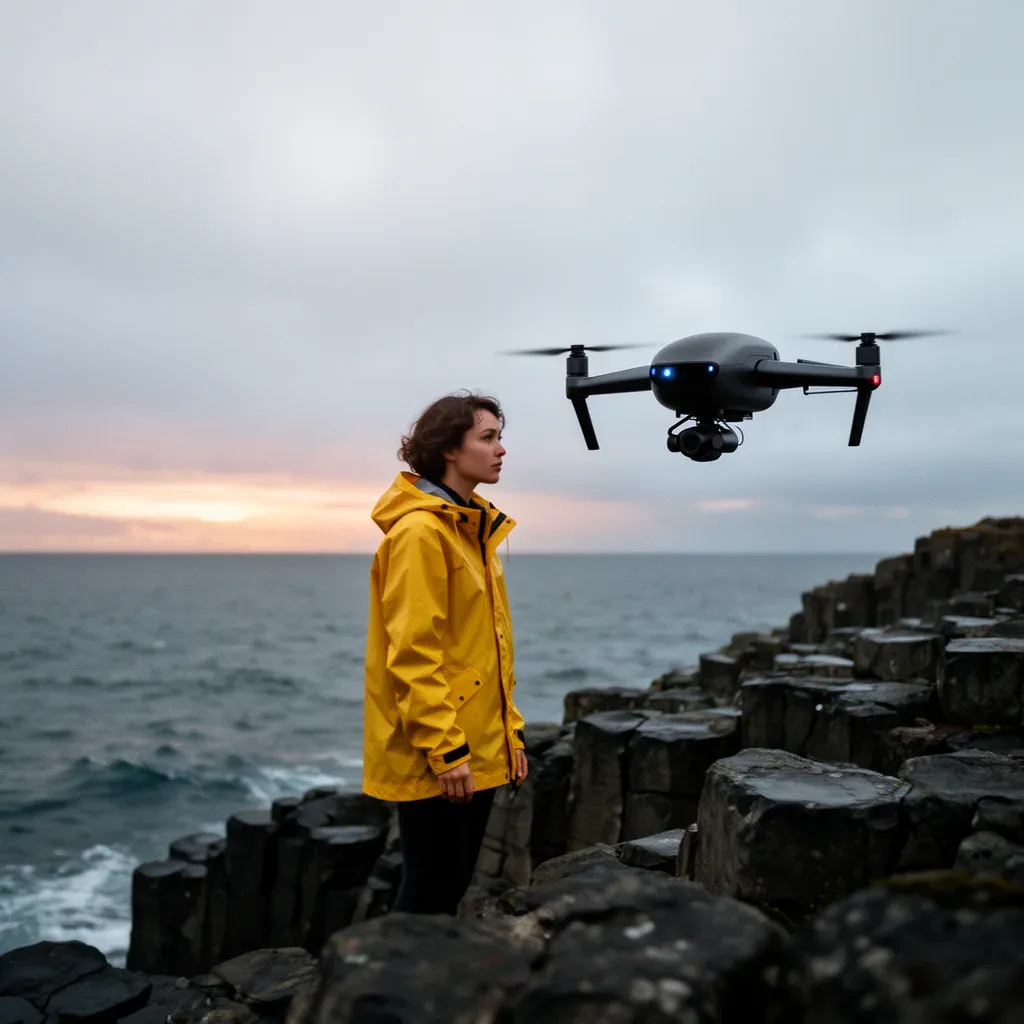
It looks great. Use VAEDecodeTiled (tile 512) in the graph: the first attempt finished all 20 steps and then ran out of memory in VAE decode.
Energy per image
GPU power from the driver counters, no wall meter.
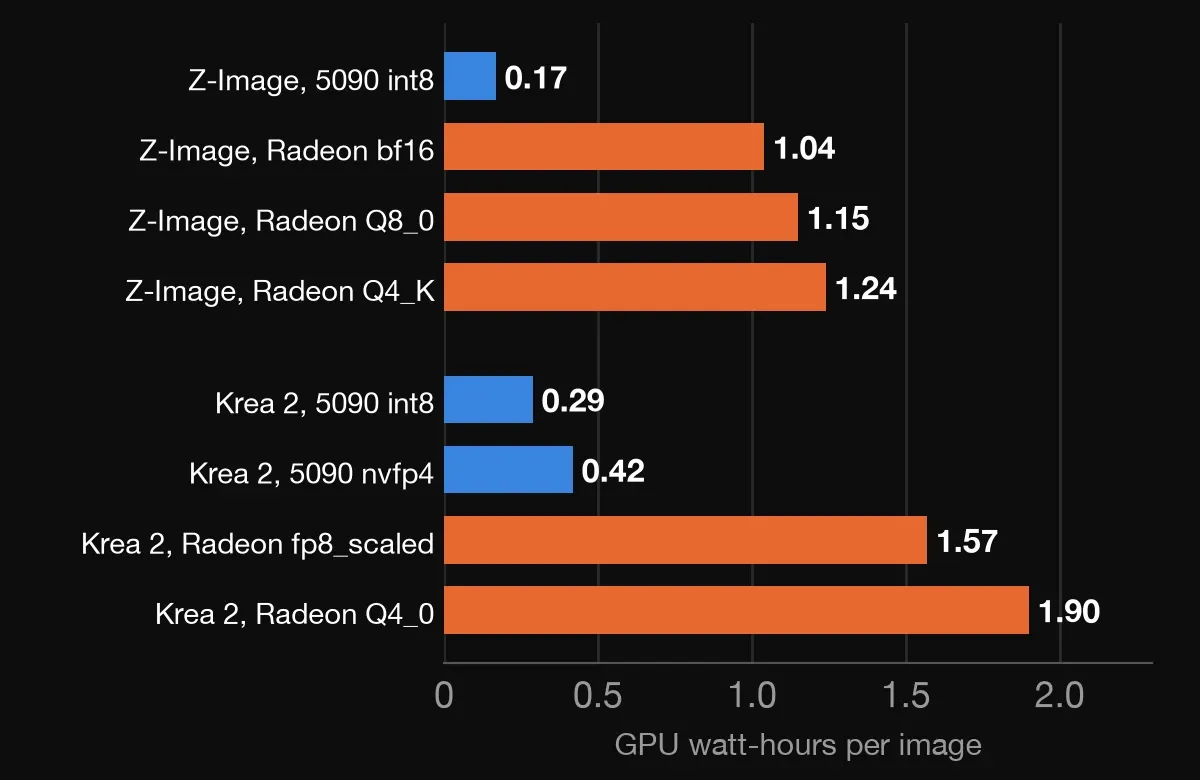
- Z-Image: Radeon 139 W for 26.8 s is 1.04 Wh. 5090 398 W for 1.57 s is 0.17 Wh. 6x less.
- Krea 2: Radeon 142 W for 39.9 s is 1.57 Wh. 5090 492 W for 2.10 s is 0.29 Wh. 5.4x less.
The 8 GB Radeon makes the same quality of image as the 5090 at a twentieth of the speed: a hundred images take 45 to 70 minutes instead of 3.
Comments
// Comments are reviewed before appearing. No spam. No noise.