My home AI agent runs Hermes Agent (open source) on a small Linux server. It needs a handful of API keys: LLM providers, a metrics dashboard, a document archive and a local LLM server. Those keys used to sit in a plaintext .env file next to the agent. Five of them now live in a dedicated Proton Pass vault. At startup the agent pulls them through the official Proton Pass CLI with an agent token that is read-only, scoped to that one vault, expires in about 90 days, and records a stated reason with each read.
What that gets me:
- One place to rotate or revoke a key.
- The token is scoped to its own vault, separate from my personal logins.
- Reads are audited, with the reason the agent gave.
- Values are held in memory rather than cached on disk.
- Revoking the token ends the agent's access right away.
- Secret values stay out of the model's context.
The agent token itself stays on disk, in the agent's .env with file mode 600. It is scoped, read-only, expiring and revocable, so it exposes much less than five provider keys would.
Scope: one agent, one operator, a handful of keys, rather than a team secrets platform.
What you need
- Proton Pass on a paid plan. Access tokens, including the "Use for AI agent" option, are available on Pass Plus, Pass Family, Proton Unlimited, Pass Professional and Workspace Standard. The pricing page lists the CLI under Pass Plus.
- The official Proton Pass CLI,
pass-cli. It is written in Rust and licensed GPL-3.0. I tested with 2.4.2 on the agent box and 2.5.0 for the demo screenshots. Version 2.5.0 removed username and password login, so plan on web login or a token from the start. The CLI is one static binary in your local bin directory. - Hermes Agent 0.20.1 or newer plus the community
hermes-protonpasssecret-source plugin (MIT, v0.1.0). I read the plugin code before installing it and pinned it to that commit, because it handles the token. - A headless Linux box that runs the agent, and a machine with a browser for the one-time web login.
For context on how new this is: personal access token support arrived in pass-cli 1.10.0 in April, agent mode in 2.1.0 in May, and the CLI was open sourced in 2.1.2 later in May.
Setup choices and why
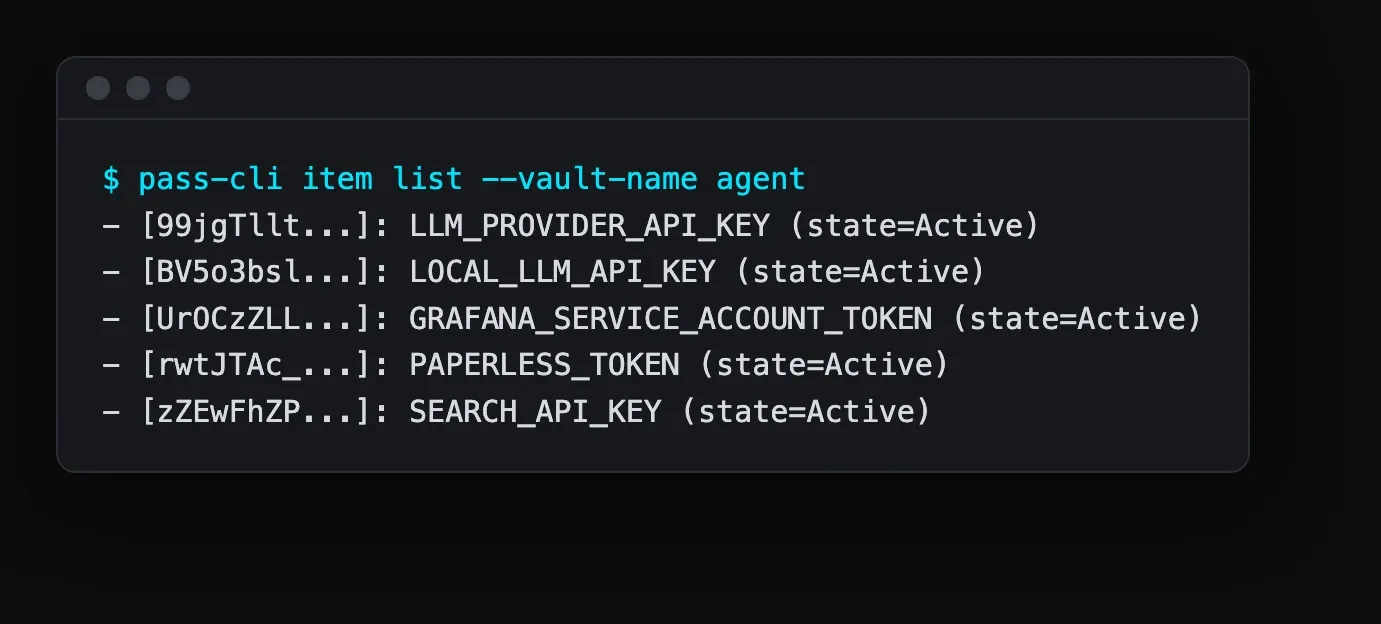
Dedicated vaults, not the personal vault. I made two: agent holds the agent's own API keys, and agent-tools holds keys for tools the agent launches and for MCP servers. Token scope is per vault, so personal logins sit outside what the agent can see.
One agent token per consumer, role viewer, about 90 days. One token for the agent's startup secrets, one for the Pass MCP server described at the end. Viewer is read-only. The CLI accepts expirations of 1h, 1d, 1w, 1m, 3m, 6m and 1y; I use 3m. Separate tokens keep the consumers independent, and pass-cli agent renew rotates a token without touching its grants.
One Pass item per secret, titled with the env var name, value in the password field. The reference syntax is pass://<vault>/<item>/<field>, so each line of the plugin config maps one to one onto a line of the old .env.
Values in memory, with Pass taking precedence. cache_ttl_seconds: 0 keeps values in process memory, with no cache file. override_existing: true makes the Pass value replace an older value still in .env.
Fail-open, with one deliberate fallback. The plugin falls back to .env if Pass is unreachable. I kept one key in .env on purpose: the local LLM server's key, so the agent can still think if Proton is down. The other keys live in Pass. The trade-off is one low-value key on disk for an agent that keeps working through an outage.
1. Install the CLI and log in
- Install with the official script:
``bash curl -fsSL https://proton.me/download/pass-cli/install.sh | bash ``
- Hash the binary and compare it with the value published for that version in the project's versions.json (
https://proton.me/download/pass-cli/versions.json). The official install script does this check for you. This binary will hold the agent token, so it is worth the extra minute.
``bash sha256sum ~/.local/bin/pass-cli ``
- Set the key provider and turn off telemetry in the shell profile of the account that runs the agent:
``bash export PROTON_PASS_KEY_PROVIDER=fs export PROTON_PASS_DISABLE_TELEMETRY=1 ``
The docs describe the fs key provider as less safe than the OS keyring. The server does not run a keyring daemon, so I accepted that trade-off.
- Log in:
``bash pass-cli login ``
By default this prints a web login link. Open it in a browser on another machine and finish the login there. That handles the headless case without a device flow to configure.
2. Create the vaults and the items
- Create two vaults,
agentandagent-tools. The web app is the quickest way; the CLI works too. - In
agent, add one item per key. Title each item with the exact env var name (for exampleANTHROPIC_API_KEY) and paste the secret into the password field. - Put keys for tools the agent launches into
agent-toolsthe same way.
A reference to one of those values looks like this:
pass://agent/ANTHROPIC_API_KEY/passwordThe vault and item parts accept names or IDs, and spaces are allowed. A field inside a custom section is written as Section.field.
3. Create the agent token and grant it one vault
In Proton's terms, an agent is a personal access token with a dedicated flag that turns on access logging. Agent sessions last 2 hours, without a session lock. You can also create one in the web app under Settings > Access tokens by turning on "Use for AI agent", with an expiry between 1 hour and 1 year. I used the CLI.
- Create the token, limited to the
agentvault, expiring in three months:
``bash pass-cli agent create agent-startup --expiration 3m --vault agent ``
- Grant it read-only access to that vault:
``bash pass-cli agent access grant agent-startup --vault-name agent --role viewer ``
Viewer is the default role. The grant applies to the vault, or to one item if you name it with --item-title.
- Copy the token; the CLI shows it once. Put it in the agent's .env and set the file to mode 600:
``bash echo 'PROTON_PASS_PERSONAL_ACCESS_TOKEN=<token>' >> /path/to/agent/.env chmod 600 /path/to/agent/.env ``
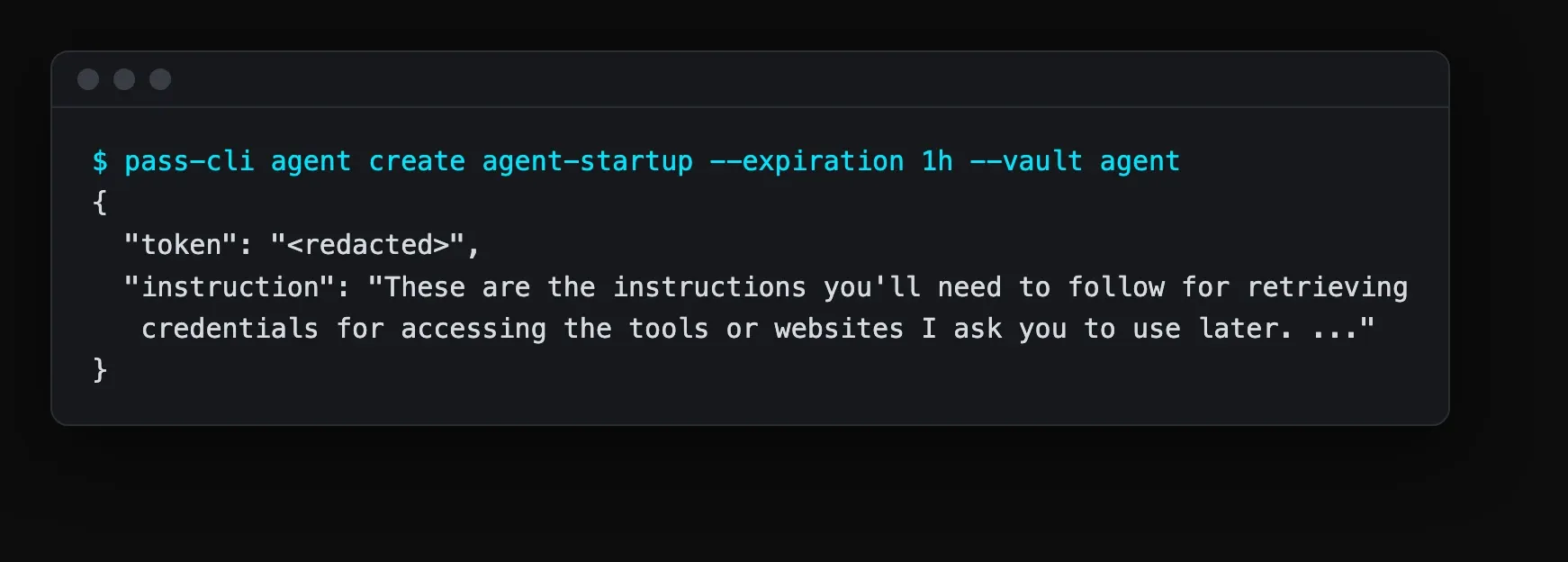
Audited commands run under an agent token require PROTON_PASS_AGENT_REASON: item view, create, update, trash, untrash and move, plus vault update. The reason is a non-empty string of up to 300 characters, stored end-to-end encrypted in the audit log. If you see "Agent sessions must set PROTON_PASS_AGENT_REASON", set a reason string and run the command again.
Two lifecycle commands:
pass-cli agent renewissues a new token. The old one stops working right away and the grants carry over.pass-cli agent access revokeremoves a grant.
4. Install the plugin and write the config
- Clone
hermes-protonpassinto the agent's plugins directory, read the code, and check out the commit you reviewed:
``bash git checkout <reviewed-commit> ``
- Add the plugin and the secret mapping to the agent's
config.yaml:
``yaml plugins: enabled: [protonpass] secrets: protonpass: enabled: true token_env: PROTON_PASS_PERSONAL_ACCESS_TOKEN binary_path: /home/<user>/.local/bin/pass-cli key_provider: fs cache_ttl_seconds: 0 # no plaintext value cache on disk override_existing: true env: ANTHROPIC_API_KEY: "pass://agent/ANTHROPIC_API_KEY/password" GRAFANA_SERVICE_ACCOUNT_TOKEN: "pass://agent/GRAFANA_SERVICE_ACCOUNT_TOKEN/password" ``
What each line does:
token_envnames the env var that holds the agent token. The plugin reads the token from there and passes it topass-cli.binary_pathpoints at the binary you verified in step 1.key_provider: fsmatches the headless setting from step 1.cache_ttl_seconds: 0means values are not written to a cache file. They stay in the agent's process memory.override_existing: truemeans the Pass value takes precedence over a value still in .env.- The
envmap is explicit. The plugin pulls the keys listed here, so a new key in the vault reaches the agent once you add a line for it.
The full map has one line per key; the two above show the pattern.
Values load when the gateway starts. Rotating a key means updating the Pass item and restarting the agent.

5. Migrate the keys out of .env
- Copy each key from .env into the
agentvault as its own item, titled with the env var name. I used a small script for this. - Start the agent and confirm it sees each key. I check lengths rather than printing the values.
- Once each key checks out, remove those keys from .env, leaving the agent token and the local LLM fallback key.
- Delete the old .env backup files too, since they still hold the keys in plaintext. I deleted three.
End state: 5 keys migrated, 2 vaults, 2 tokens, 0 plaintext provider keys left in the agent's config directory.
6. Test it
- I test through the long-running gateway rather than a CLI one-shot. In Hermes 0.22.2 the
hermes chat --provider Xpreflight runs before plugins load, so a one-shot can report "auth failed" and fall back even though the gateway has the keys. - Restart the gateway and send the agent a request that uses each provider.
- Check the audit log:
``bash pass-cli agent monitor agent-startup pass-cli agent monitor agent-startup --output json ``
Each entry lists the action, vault, item and reason. The documented sample line has this shape:
``bash [record_001] action=ItemRead vault="Production" item="DB password" reason="Running nightly backup" ``
The demo vault screenshot below shows the same shape.
- Run a revoke test: renew or revoke the token, restart the agent with the old token, and confirm it can no longer read from the vault. Then put the new token in .env.

7. Pattern 2: hand one secret to one tool with pass-cli run
For tools the agent launches, such as a coding CLI that runs on a subscription token, I keep the tool's token out of the agent's environment.
The reason: some agent frameworks treat certain env var names as their own credentials. Hermes resolves CLAUDE_CODE_OAUTH_TOKEN before ANTHROPIC_API_KEY, so a tool token in the agent's environment can change what the agent itself bills to.
I use a small wrapper per tool. The agent calls the wrapper instead of the tool, and the secret goes to the tool's process:
#!/usr/bin/env bash
export PROTON_PASS_SESSION_DIR="$HOME/.cache/tool-pass" PROTON_PASS_KEY_PROVIDER=fs
export PROTON_PASS_AGENT_REASON="Coding tool token for an agent task"
export TOOL_TOKEN="pass://agent-tools/TOOL_TOKEN/password"
exec pass-cli run -- tool "$@"
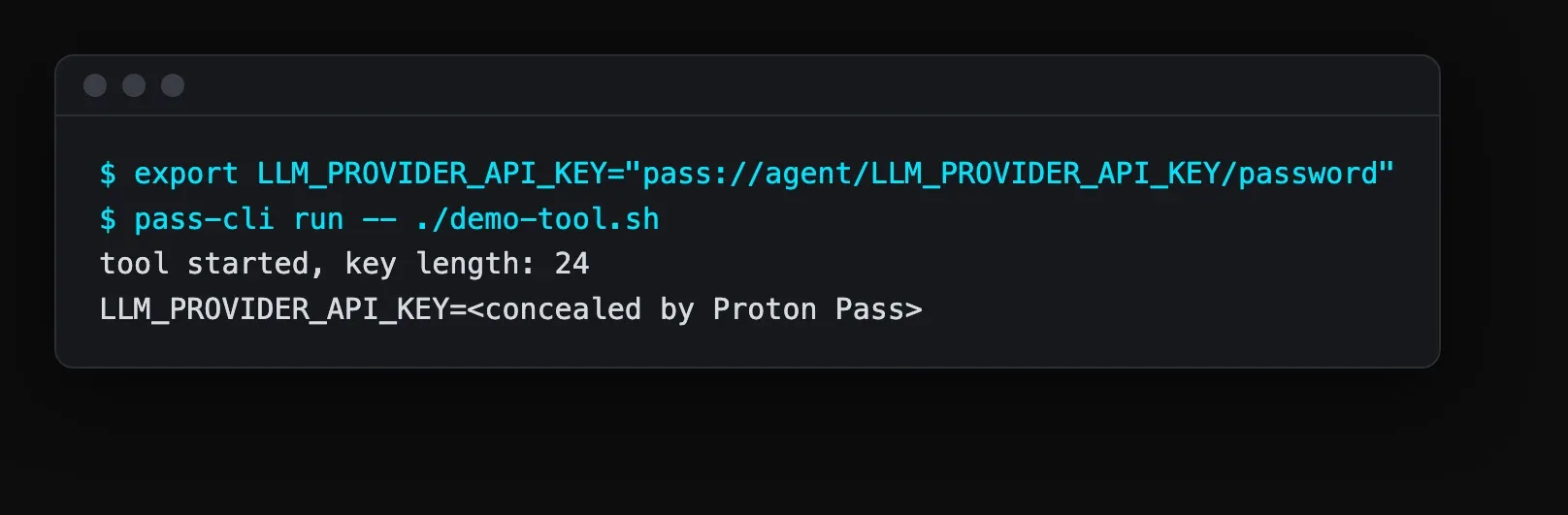
How pass-cli run behaves:
- It scans environment values, plus dotenv files passed with
--env-file, forpass://references. - It substitutes the real values in the child process environment. The wrapper's own environment keeps the reference, not the secret.
- It masks secret values in the child's stdout and stderr as
<concealed by Proton Pass>by default.--no-maskingturns that off. - It is not meant for fully interactive TTY programs.
Each wrapper gets its own PROTON_PASS_SESSION_DIR, so the tool's Pass session is separate from the agent's.
Hermes also strips one profile's Pass secrets from child processes of other profiles; each profile declares its own sources. In my setup that means sub-agents receive the secrets their own profile declares.

8. Next step: a Pass MCP server for tools
I built a small MCP server in Rust that gives the agent controlled access to Pass. Its tools list vaults and items, generate a password, and run a command from an allowlist with secrets injected. The tools are designed so secret values stay out of the model's context.
It has its own token and its own vault, agent-tools, with the same viewer role and expiry rules as the startup token.
Because email and web content can carry prompt injection, the mail tools and the Pass tools run as separate processes with separate credentials.
I plan to enable it after the allowlist and the audit trail have been exercised.

Results and what's next
The numbers: 5 keys migrated, 2 vaults, 2 tokens, about 90 days to expiry. Four of the five keys are now in Pass and off disk. On disk are the agent token (mode 600) and the local LLM fallback key.
Day to day, rotating a key is one edit in Pass and an agent restart, and the audit log shows each read with its reason.
Next:
- Enable the MCP server once the allowlist has been exercised.
- Move the local LLM fallback key into Pass when a second fallback that does not depend on Proton exists.
- Renew both tokens before the 90-day mark.
Sources
- Proton Pass access tokens: https://proton.me/support/pass-access-tokens
- Proton Pass pricing and plan features: https://proton.me/pass/pricing
- Proton Pass CLI documentation: https://protonpass.github.io/pass-cli/
- Proton Pass CLI changelog: https://github.com/protonpass/pass-cli/blob/main/CHANGELOG.md
Comments
// Comments are reviewed before appearing. No spam. No noise.