I now have a private document archive at home. Drop a PDF, a scan, an Excel sheet or an email into a share on the NAS and a minute later it is OCRed, searchable, titled and tagged by a local language model, with the tax year in its own field. I can ask the archive questions ("when does my radio license expire?") and get an answer with citations. On my phone, the same web interface and saved views open in the browser from anywhere, over a VPN with a real HTTPS certificate, so there are no warnings to click through.
Nothing leaves the house. OCR, Office conversion, the model that labels documents and the one that embeds them for chat all run on machines I own. No public port is open at home, which is just as well because my home connection has no public IP at all.
This post is the build: which box runs what and why, exact versions and settings, and the gotchas that will actually stop you, each with symptom and fix. Scope is one user and a few thousand documents.
What you need
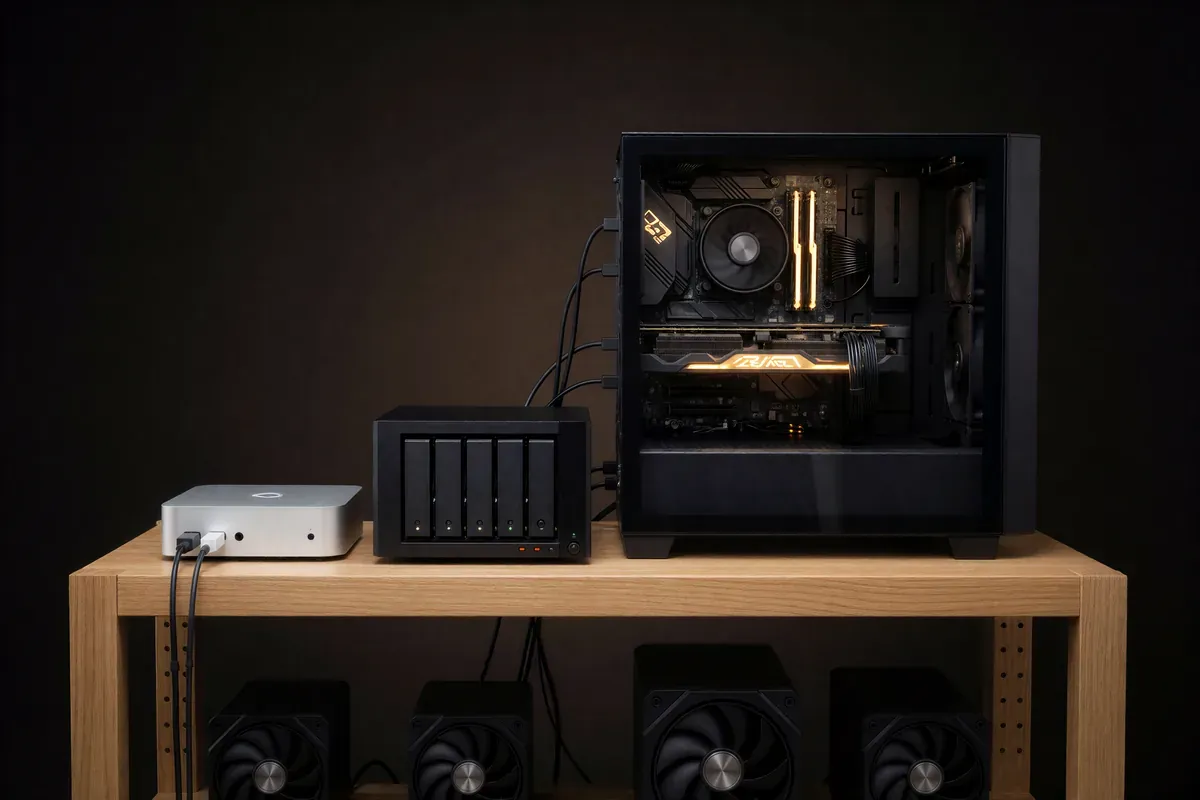
Five machines are involved. None of them were bought for this; the point of the split is that each piece lands where it already fits.
- Small always-on Linux box: a low-power mini PC is plenty (Paperless used about 800 MB of RAM). It runs Paperless-ngx and its broker, Caddy, and the home end of the VPN, because the git-managed Compose setup, deploy flow and nightly restic backup already live there.
- NAS: any NAS that exports NFS and runs Docker (Synology here). It runs Tika and Gotenberg, holds the inbox share and receives the backups. The converters need 1 to 1.5 GB of RAM while converting, which the NAS has to spare.
- GPU box: enough VRAM for a ~27B model at Q4, so 24 GB or more. It runs Qwen 3.8 27B (Q4_K_M) on llama-server, OpenAI-compatible, with a large context and one slot: one local model server for both labeling and chat.
- Embedding box: a Mac mini or any small always-on machine, running Ollama for the embedding model. It is always on and idle most of the day.
- VPS: a small cloud instance with a public IP, running the WireGuard hub. It is the only box in the setup with a public IP.
Two decisions deserve a sentence each. Paperless runs on the smallest box, not the NAS, because that box already has the git-managed Compose, deploy and nightly restic pattern I use for everything, and the restic job already lands on the NAS; the heavy pieces are pointed at other boxes over the LAN. And if the embedding box is a Mac, leave FileVault off, or an unplanned restart stalls at the pre-boot password prompt.
1. Paperless-ngx core
Pins: paperless-ngx:3.3.1 and valkey:9.1.2-alpine as the broker. The task queue is disposable, so the broker runs with persistence off:
broker:
  image: valkey/valkey:9.1.2-alpine
  command: valkey-server --save "" --appendonly no
The database is SQLite: one user, a few thousand documents at most, one less container on a small box. Postgres can come later, because document_exporter and document_importer move everything losslessly between backends.
Tuning for the small box, plus the hostname settings:
PAPERLESS_TASK_WORKERS=1
PAPERLESS_THREADS_PER_WORKER=2
PAPERLESS_WEBSERVER_WORKERS=1
PAPERLESS_URL=https://paperless.lan.example.com
PAPERLESS_ALLOWED_HOSTS=paperless.lan.example.com,192.168.10.10,localhost
PAPERLESS_CSRF_TRUSTED_ORIGINS=http://192.168.10.10:8000
OCR mode stays at the default auto, which skips pages that already carry a text layer. A 439-page, 92 MB service manual with embedded text imported in 76 seconds. Pages that need OCR take 20 to 30 seconds each on the low-power box; the bulk load ran overnight.
The data, media and consume directories live on the host outside the git repo with chmod 700, so nothing personal can ever end up in a commit.
Gotcha: 3.x renamed PAPERLESS_CONSUMER_POLLING to PAPERLESS_CONSUMER_POLLING_INTERVAL, and the old name is silently ignored. If the log says "Watching .. using native file system events" when you expected polling, that is why.
2. The inbox: a NAS share over NFS
The consume folder is a share on the NAS, mounted into the Paperless container as a Docker named volume. No host mount, no fstab, no sudo:
volumes:
  paperless-inbox:
    driver: local
    driver_opts:
      type: nfs
      o: addr=<nas>,nfsvers=4.1,rw,hard,timeo=600
      device: ":/volume1/Paperless-Inbox"
inotify does not see files written by other NFS clients, so Paperless polls:
PAPERLESS_CONSUMER_POLLING_INTERVAL=10On the Synology side, NFS permissions are per shared folder, so the inbox is its own top-level share: one client IP, Read/Write, squash "Map all users to admin", security sys, async. Encrypted shared folders cannot be NFS-exported, so this one is not; it only holds files in transit. The recycle bin is off so consumed originals do not linger. If the NAS is down, Paperless will not start.
Gotcha: bulk-copying into the share with tar over SSH re-applied a Unix mode to a folder, which on Synology silently drops its ACL; Paperless could import every file under it but not delete the originals ([Errno 13] Permission denied). Fix: synoacltool -enforce-inherit <folder>, then move the stuck files out and back in to re-queue them. Copy over SMB or Finder instead; they respect ACLs.
3. Office files and email: Tika and Gotenberg on the NAS
Paperless handles PDFs and images itself. Word, Excel, PowerPoint and .eml go through Apache Tika for text and Gotenberg for the PDF archive copy. Both run on the NAS, pinned to the versions upstream ships in docker-compose.sqlite-tika.yml for 3.3.1: apache/tika:3.3.1.0 on port 9998 and gotenberg/gotenberg:8.37 on port 3000. Gotenberg renders email through Chromium, so two flags stop tracking pixels and remote fetches:
gotenberg:
  image: gotenberg/gotenberg:8.37
  command:
    - gotenberg
    - --chromium-disable-javascript=true
    - --chromium-allow-list=^file:///tmp/.*
Paperless needs three lines:
PAPERLESS_TIKA_ENABLED=true
PAPERLESS_TIKA_ENDPOINT=http://<nas>:9998
PAPERLESS_TIKA_GOTENBERG_ENDPOINT=http://<nas>:3000
An .xlsx parts list imported in 7.2 seconds with its text extracted and a PDF archive copy generated.
4. Local AI suggestions
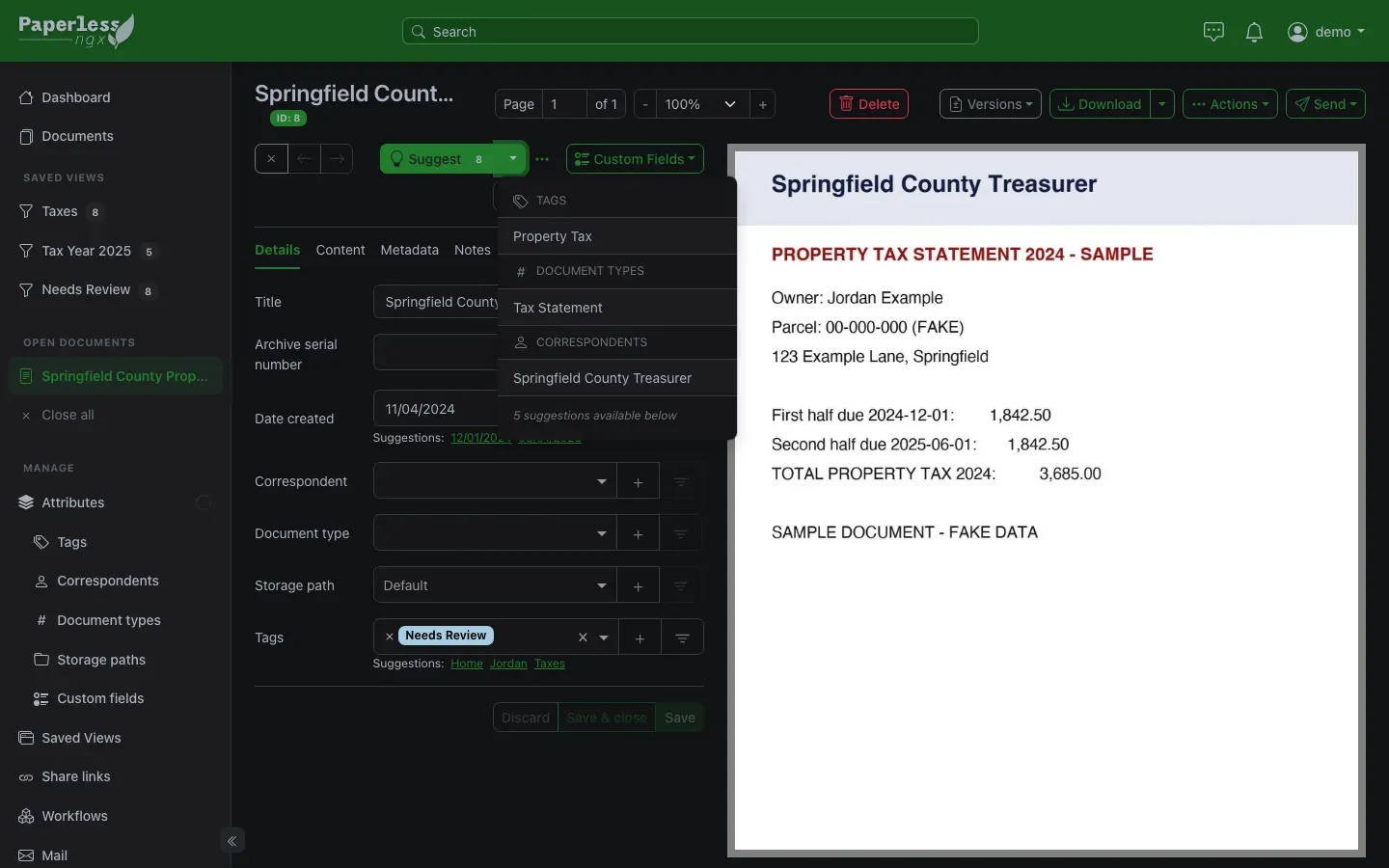
Paperless 3.x has built-in AI: it proposes a title, tags, correspondent and document type per document, and (next section) answers questions over the archive. Both talk to any OpenAI-compatible endpoint; mine is llama-server on the GPU box.
PAPERLESS_AI_ENABLED=true
PAPERLESS_AI_LLM_BACKEND=openai-like
PAPERLESS_AI_LLM_ENDPOINT=http://<gpu-box>:8080/v1
PAPERLESS_AI_LLM_MODEL=qwen
PAPERLESS_AI_LLM_REQUEST_TIMEOUT=300
PAPERLESS_AI_LLM_EXTRA_PARAMS='{"extra_body": {"chat_template_kwargs": {"enable_thinking": false}}}'
The model name is arbitrary on a single-model llama-server, and the timeout is generous because the server has one slot. The last line turns off Qwen's reasoning mode (a llama.cpp request field): with thinking on it spent 87 tokens producing a title, with it off, 7 tokens, same title.
Gotcha: Paperless passes PAPERLESS_AI_LLM_EXTRA_PARAMS straight to the OpenAI Python client as keyword arguments, so a bare chat_template_kwargs is an HTTP 500 on every suggestion. Non-standard fields must be wrapped in extra_body.
Results: about 26 seconds cold start, then about 5 seconds per document. A one-page radio license came back titled and typed, with its grant and expiration dates pulled into the suggestions without being asked.
5. Document chat with embeddings
Chat needs a second model: the chat model cannot serve embeddings. Those come from Ollama on the embedding box (a Mac mini here, installed as a system LaunchDaemon) with:
OLLAMA_HOST=0.0.0.0:11434
OLLAMA_KEEP_ALIVE=24h
OLLAMA_MAX_LOADED_MODELS=1
On the Paperless side:
PAPERLESS_AI_LLM_EMBEDDING_BACKEND=ollama
PAPERLESS_AI_LLM_EMBEDDING_ENDPOINT=http://<embedding-box>:11434
PAPERLESS_AI_LLM_EMBEDDING_MODEL=nomic-embed-text
PAPERLESS_AI_LLM_CONTEXT_SIZE=32768
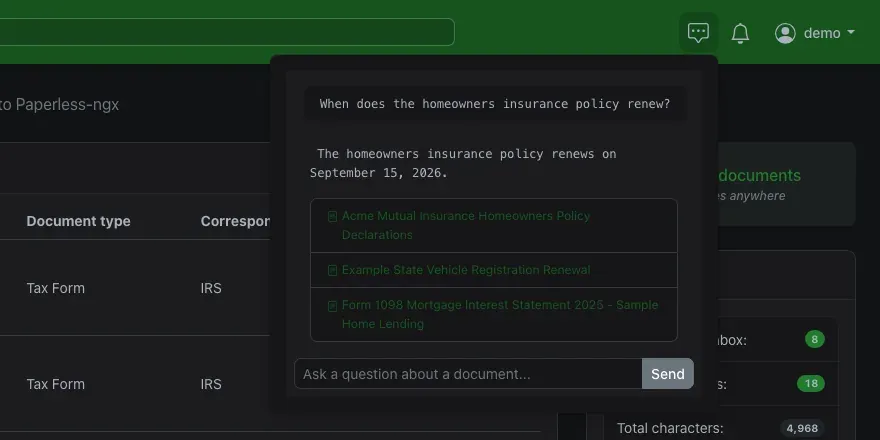
The context size is raised from the default 8K because the retrieved chunks plus the prompt do not fit, and the fallback is a multi-call mode that returns stitched-together fragments; at 32K answers come back in one pass. The index lives in data/llm_index, rebuilt nightly on the PAPERLESS_LLM_INDEX_TASK_CRON schedule or by hand with manage.py document_llmindex rebuild.
Ask the archive a question in plain English and get an answer with the source documents cited. I asked for the oil change spec from a 439-page track loader service manual and got the grade, the capacity and the interval, with the manual cited. Asked for a filter part number that is in none of the documents, it said so instead of inventing one.
One honest line: retrieval is literal, so it works best when you phrase the question the way the document is written; for a document you already know, open it and chat with it alone. On a one-slot server answers take from 20 seconds to a few minutes.
6. Labels, not folders, and teaching the AI
Everyone's first plan is a tidy folder tree, and Paperless can even turn folder names into tags. It fails on the first hard case: a death certificate is Family, Parents and Estate at once, and a folder holds one.
Paperless has three facets plus a date, and used as designed the folder question disappears:
- Document type, one per document: what is it? Tax Return, Pay Stub, Manual.
- Correspondent, one per document: who sent it? A tax authority, a bank, a manufacturer.
- Tags, many per document: who and what is it about?
- Created date, read from the document itself, so year folders are redundant.
Half the files in an old pile are named scan0042.pdf, so labels have to come from content. The import setup:
PAPERLESS_CONSUMER_SUBDIRS_AS_TAGSoff. Folder names do not become tags.- One tag, "Needs Review", marked as the inbox tag (
is_inbox_tag), applied on arrival. - A small vocabulary designed up front, a couple dozen types and a few dozen tags, named the way a language model would say them ("Death Certificate", "Taxes"), because suggestions are matched against label names.
- A workflow with the action "Apply AI suggestions":
ai_create_missing=falseso the model picks only from my vocabulary and never invents a label,ai_suggestion_fieldsset to title, tags, correspondent and type, andai_overwrite_existingon, because Paperless pre-fills the title from the filename and the AI title never applies otherwise. - Every tag, type and correspondent on matching algorithm "Automatic".
That last setting answers "do I have to label each one by hand?" No. Two learners stack: the LLM is zero-shot from the vocabulary and covers the cold start, and the built-in classifier retrains hourly on documents I have confirmed or corrected and takes over as examples accumulate. Check the first 20 to 30 closely, then skim, then spot-check only tax, legal and estate.
7. Tax year: a custom field, plus saved views
A document's created date is not its tax year: the 2024 W-2 is dated January 2025 and the 2024 return is filed in April 2025. So the tax year is an integer custom field, filled by a per-year workflow on "Consumption Started" that matches the old tax folder's path (a filter_path of /TAX/2022/ with a wildcard on each end sets Tax Year 2022), and each year is a saved view:
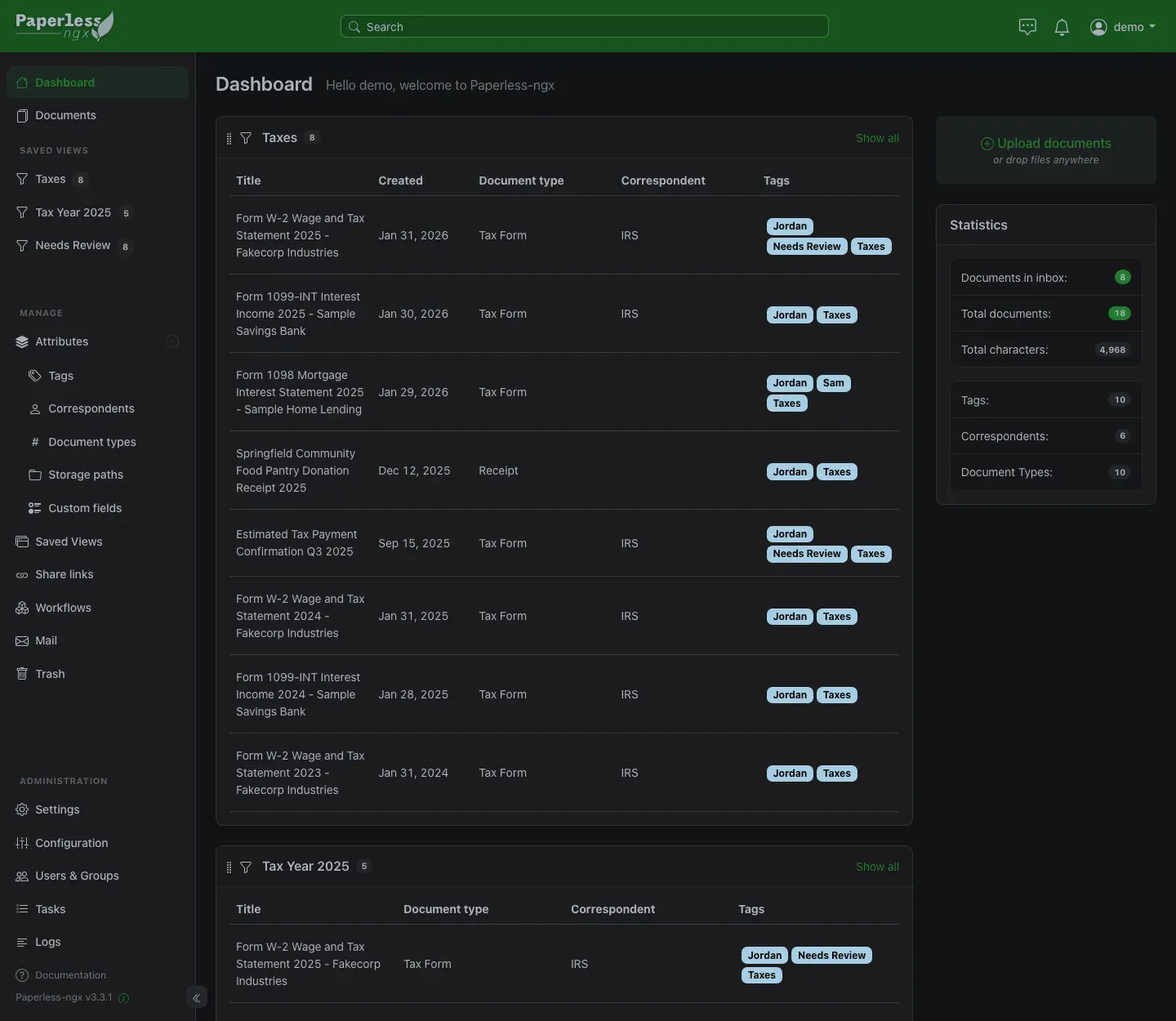
rule type: custom fields query
value:     [<field id>, "exact", 2024]
A "Tax Year missing" view ("isnull", true) catches loose files for review.
8. Agent access with a limited user
The Signal agent (a local LLM assistant I message from my phone) can file documents into the archive and look things up. It gets its own Paperless user with add, view and change on documents, tags, correspondents, types, notes, saved views and custom fields, view on tasks, and no delete anywhere. Its API token lives in a 0600 file and is read in-shell at call time, so it never appears in a prompt or a transcript. It talks plain REST with curl. Paperless uses per-object permissions (django-guardian), so that user sees only what it uploaded or what I have explicitly shared.
Gotcha: unowned documents are visible to every user. Anything arriving through the consume folder or a mail rule has no owner, so by default the Signal agent could read it. The fix is a workflow on "Consumption Started", sources consume folder and mail, action assign owner. Tested by dropping a file in the inbox and searching as that user: zero results.
Gotcha: the search index caches permissions. Documents shared from the Django shell did not show up in that user's search until manage.py document_index reindex.
9. Remote access: a WireGuard hub for a CGNAT home
Home internet is a 5G home internet plan, which means CGNAT: no public IP, no port forwarding, so a WireGuard endpoint at home can never work. I would rather run plain WireGuard than Tailscale, so: a hub on the VPS. Home dials out to it, the phone dials out to it, and the hub forwards between them.
Hub, wg-quick@wg-hub, on UDP 51820:
[Interface]
Address = 10.20.0.1/24
ListenPort = 51820
MTU = 1280
PostUp = wg set %i private-key /etc/wireguard/hub.key
PostUp = iptables -I FORWARD 1 -i %i -o %i -j ACCEPT

[Peer]  # home
PublicKey = <home public key>
AllowedIPs = 10.20.0.2/32, 192.168.10.0/24

[Peer]  # phone
PublicKey = <phone public key>
AllowedIPs = 10.20.0.3/32
The first PostUp loads the private key from a root-only file so the key is never in the conf. The second is needed if Docker runs on the VPS: it sets the FORWARD chain policy to DROP, which silently eats packets between peers.
Gotcha: the VPS provider's cloud firewall is separate from the OS firewall. If the client sends handshakes and tcpdump on the VPS sees nothing, add an inbound UDP 51820 rule in the provider's console.
The home end is an Alpine container with network_mode: host and cap_add: NET_ADMIN. It generates its key on first start into a host directory outside git, keeps PersistentKeepalive = 25 so the NAT mapping stays alive, masquerades the VPN subnet onto the LAN interface, and puts its rules in the DOCKER-USER chain. A container rather than native WireGuard so it deploys like everything else.
The phone runs a split tunnel: only the VPN subnet and the home LAN go through it, and DNS points at the home router so LAN names resolve.
[Interface]
Address = 10.20.0.3/32
DNS = 192.168.10.1
MTU = 1280

[Peer]
PublicKey = <hub public key>
Endpoint = vpn.example.com:51820
AllowedIPs = 10.20.0.0/24, 192.168.10.0/24
PersistentKeepalive = 25
Round trip phone to VPS to home is 70 to 100 ms.
10. HTTPS names for LAN-only services
With the tunnel up, the phone could reach 192.168.10.10:8000. I wanted https://paperless.lan.example.com with a certificate the phone trusts, and the same for every other LAN service.
DNS is one public, DNS-only wildcard record, *.lan.example.com, pointing at the private IP of the homelab box. It resolves from anywhere, connects only at home or on the VPN, and adding a service never touches DNS again. Certificates come from Caddy 2.11.7, built with xcaddy and caddy-dns/cloudflare v0.2.4, holding one wildcard certificate from the DNS-01 challenge, so service names never appear in certificate transparency logs. A map table routes by hostname:
{
    admin off
}

*.lan.example.com {
    tls {
        dns cloudflare {env.CF_API_TOKEN}
        propagation_delay 30s
        propagation_timeout -1   # skip local DNS check
    }
    map {host} {backend} {
        paperless.lan.example.com  192.168.10.10:8000
        default                    <another-service>:<port>
    }
    reverse_proxy {backend}
}
Every LAN service sits behind that one block, one cert.
11. Using it from the phone
No app needed. Paperless's web interface works in the phone's browser, so I open https://paperless.lan.example.com, the same URL as at home. Away from home I flip the WireGuard toggle first and the browser connects through the hub. Because the certificate is a real one from Let's Encrypt, there is no self-signed exception to install and no warning to accept.
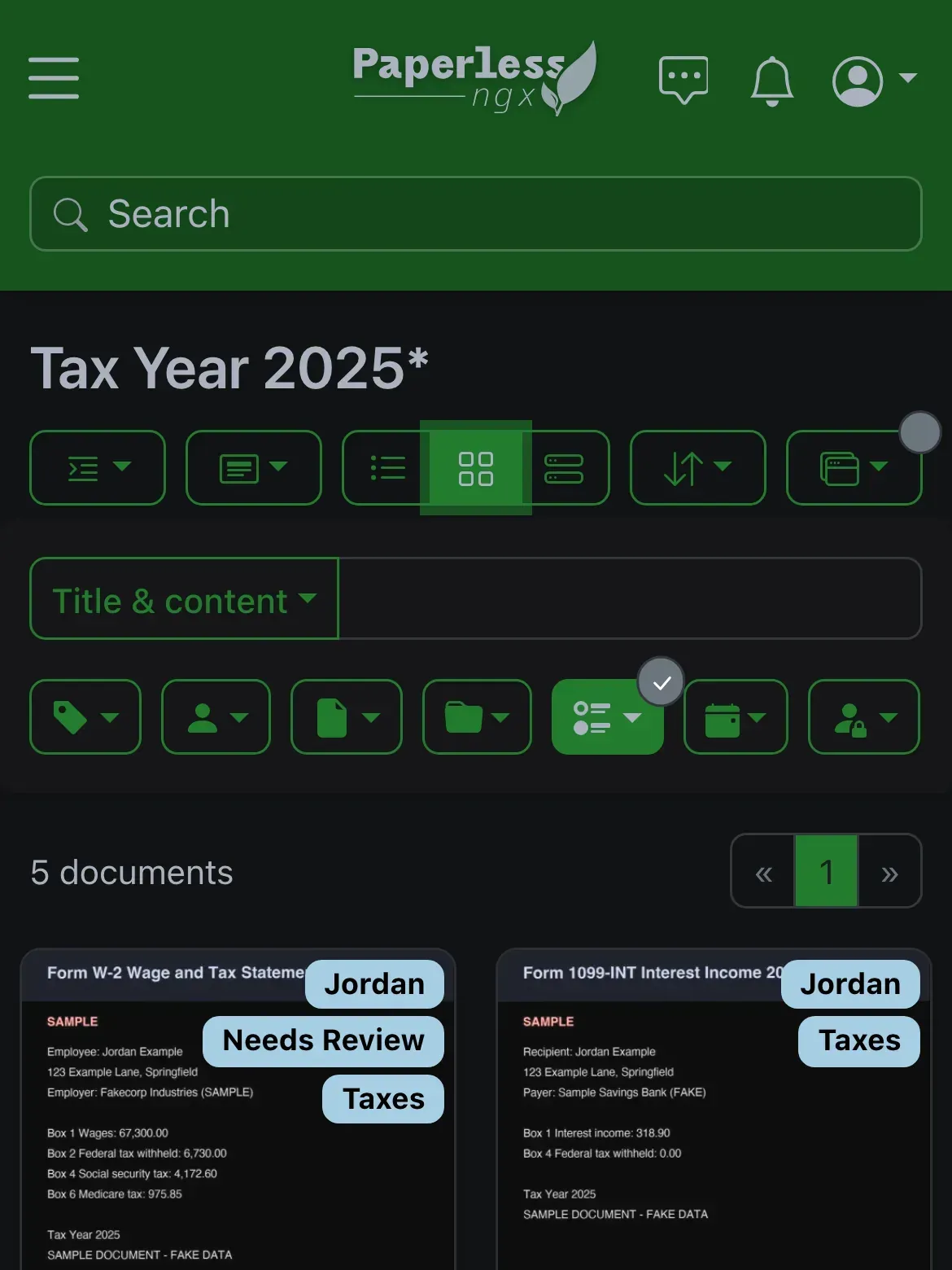
What works from the phone:
- Search, which hits the OCR text, not just titles.
- The saved views. "Taxes" and each tax year are a tap away, which is the whole reason I wanted remote access: at a counter that needs last year's property tax statement, I can pull it up.
- Opening and downloading the original or the OCRed PDF.
For filing something new while I'm out, the Signal agent covers it: send it a photo, it files it.
12. Backup
Nightly on the homelab box: SQLite's online backup API writes a consistent snapshot to data/db-backup.sqlite3, then restic (encrypted) backs up data/ and media/ to the NAS, excluding the live db.sqlite3. The LLM index is inside data/, so it rides along and needs no rebuild after a restore. This is the restic job that already ran for the other services on that box; the archive joined it.
Results
- Paperless container: about 816 MB RAM.
- OCR: 20 to 30 seconds per scanned page; a 439-page manual with a text layer in 76 seconds.
- Office files: an
.xlsxin 7.2 seconds via Tika and Gotenberg on the NAS. - AI suggestions: 26 seconds cold, about 5 seconds per document warm, from a 27B model on the LAN.
- Chat: single-pass answers with citations, 20 seconds to a few minutes each on a one-slot server, no invented part numbers.
- Tunnel: 70 to 100 ms round trip from the phone over 5G home internet.
- Every LAN service behind one Caddy and one wildcard certificate, zero public ports at home.
What's next
Central Postgres. SQLite is fine for one user, but other services here would share a database server, and the move is lossless through the exporter and importer.
Typed tools for the Signal agent. It composes curl today. A Paperless MCP server would give it search, tag, bulk edit and chat as proper tools; any third-party server gets vetted first, since it would hold the token.
More documents. The first few hundred are through. The rest go through the same inbox, the classifier keeps learning from my corrections, and the review step shrinks.
Comments
// Comments are reviewed before appearing. No spam. No noise.